Smart Work Organisation and Team Planning.

play_arrow Try it live


Scroll down to learn more...

  • Just work smarter than anyone else.

    How do you organise work? How do you make sure the right person gets the tasks they are specialised for? How do you find out what is most important right now?

    Resourcecloud helps you achieve more with your team!

  • Resourcecloud

What changes with Resourcecloud

Before
With Resourcecloud
Someone is sick at home
Tasks are re-planned by hand, and people sit in a meeting waiting for someone who is not coming.
The plan updates itself: tasks move on or go to the deputy, meetings are cancelled with a reason and the organisers are told.
Finding information
Hours of searching through folders and mails for the latest on a customer or the hotel allowance.
Ask the assistant. The answer comes in seconds with the source linked, and only from documents you may see.
What matters now
20 open tasks and no hint which one comes first.
Every task has a calculated value from project priority, impact, due date, size, age and blockers.
Time and billing
Documenting working time takes hours of its own, and invoices are put together from exports.
Booked time flows into working-time records, reports, project costs and invoices (e-invoice).
Planning
Plans are out of date the moment they are drawn.
The autoplanner places tasks day by day against capacity, leave and sick days. Dates set by people stay untouched.
Tools
One tool for projects, one for tickets, one for time, one for leave.
One product, one set of permissions, one price and everything tightly integrated. Resourcecloud is more than the sum of its parts.
AI in every corner of your work

One assistant that knows tasks, tickets, time, capacity and documents at the same time, and works within the rights of the person asking. You choose the language model.

Assistant on live data

Ask about tasks, tickets, time and capacity and get answers from your current data.

Documents with sources

Search finds the passage, quotes it and links the document. Only what you may see.

Calculated task value

Every task gets an explainable score. No more debates about priorities.

Plans that follow reality

Autoplanner and Optimizer re-plan when people are sick or on leave. Human-set dates stay.

Your language model

Run it in your own data centre or use a cloud service. The embedding model for search is included.

Fair by design

Questions that rank or compare people by performance are refused before any data is loaded.

Agents via MCP

Every instance has an MCP endpoint. AI agents work with the same rights as their user.

Agent in a git branch

An agent can work on an assigned task in its own branch and waits for a human to approve.

  • Much smarter than everything else

    Manage everything in one place. It makes no sense to use different tools for changes and incidents, because you have only one time budget per person.

    • panorama

      Changes

      Keep track of customer change requests and internal ones. Which customer needs the most attention?

    • settings_applications

      Solutions & Services

      Book every task to a solution or service and see where your people spend their time.

    • videocam

      Workflows

      Automate repetitive tasks and workflows so you can focus on what needs attention.

    • face

      Projects

      Keep track of programmes and projects. Are you still on time and on budget?

  • Projects
  • My-tasks
  • Kanban
  • Gantt
  • Projects
  • Optimizer
  • Assistant
  • Phones

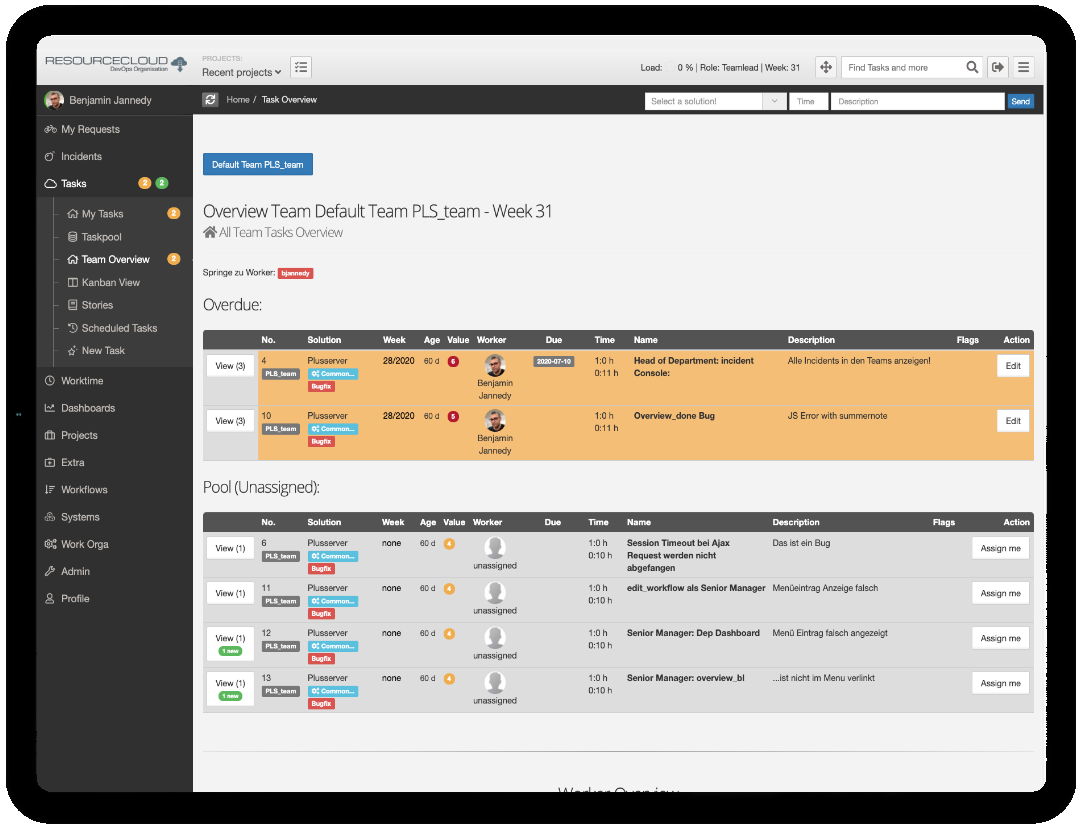
My Tasks: the most urgent first

Every task carries a calculated value. Overdue, this week and later are sorted for you, with your load and unread comments on top.

Kanban for every team

Pool, assigned, testing, done. Blocked work stands out, and cards show type, milestone and who is on it.

Gantt with critical path and baseline

Dependencies, milestones, the critical path and the frozen baseline in one chart, for classic projects.

Projects: progress, budget, capacity

Progress, reservations, planned and current costs and a flow chart for every project.

Optimizer: the work of the whole company

Efficiency, share of unplanned work, customer wait time and the teams with the longest backlog.

The assistant answers with sources

Ask in plain words. The answer quotes the passage and links the document, and only from what you may see.

As good on a phone as on a 34-inch screen.

Resourcecloud is fully responsive: the same product on a smartphone, a tablet, a laptop or an ultrawide monitor. Nothing to install. Book time on the train, approve leave from the sofa, plan the sprint on the big screen.

Why Resourcecloud ?

Many tools on the market are built on twenty-year-old concepts. The world has changed! Mobile work, DevOps, quick responses and modern devices call for a more modern approach.

  • Responsive Design

    Use Resourcecloud on a phone as well as on a 34-inch screen. The interface adapts, whatever device you have.

  • Fast Interface

    Do not wait for your application. Working with your tools should be fun.

  • For. All. Of. You!

    Developer or architect, engineer or consultant: Resourcecloud helps you work more efficiently.

  • The Big Picture

    If your project tool does not know who is on vacation, how can you plan a sprint seriously?

  • Reporting

    Smart reports show where you can optimise workflows. Do you spend your time on the most important things?

  • Scrum, Kanban, Agile

    Be a member of several virtual teams, each organised differently. Resourcecloud makes everything fit.

  • AI Driven Prioritising

    Resourcecloud gives you clear hints on what matters right now.

  • Gamification

    More fun at work. Who solved the most important tasks this month?

  • 60 of 65 features. The next vendor has 36.

    We compared 65 features in seven groups with five German vendors and Jira.

    60 / 65features fully covered
    1tariff, every module included
    ✓adjustable, no term
    DC / SaaSown data centre or SaaS
    compare_arrows See the comparison
  • Features fully covered (of 65)

    Resourcecloud 60
    Projektron BCS 36
    OpenProject 25
    Stackfield 23
    awork 21
    Jira 17
    factro 12

    Rated from public vendor information, October 2026.

Ready to Purchase?

Easy Pricing Model

  • €20

    per User / Month · SaaS

    Hosted in Germany. All modules included.

    Register here
  • €15

    per User / Month · Your own data centre

    Docker or Kubernetes. All modules included.

    You provide the S3-compatible object storage and the AI services (language model).

    Contact us
  • €0

    extra for added functionality

    • Every module is included
    • AI features, API, MCP, webhooks and SSO are included
    • No tiers, no add-ons, no hidden costs
    • No minimum term. Change the number of licenses any month

Minimum 10 licenses (from €200 / month SaaS, from €150 / month own data centre), even if fewer people use it. Prices net, plus VAT. Not included: usage fees of the language model if you use a cloud model.